
一、概述
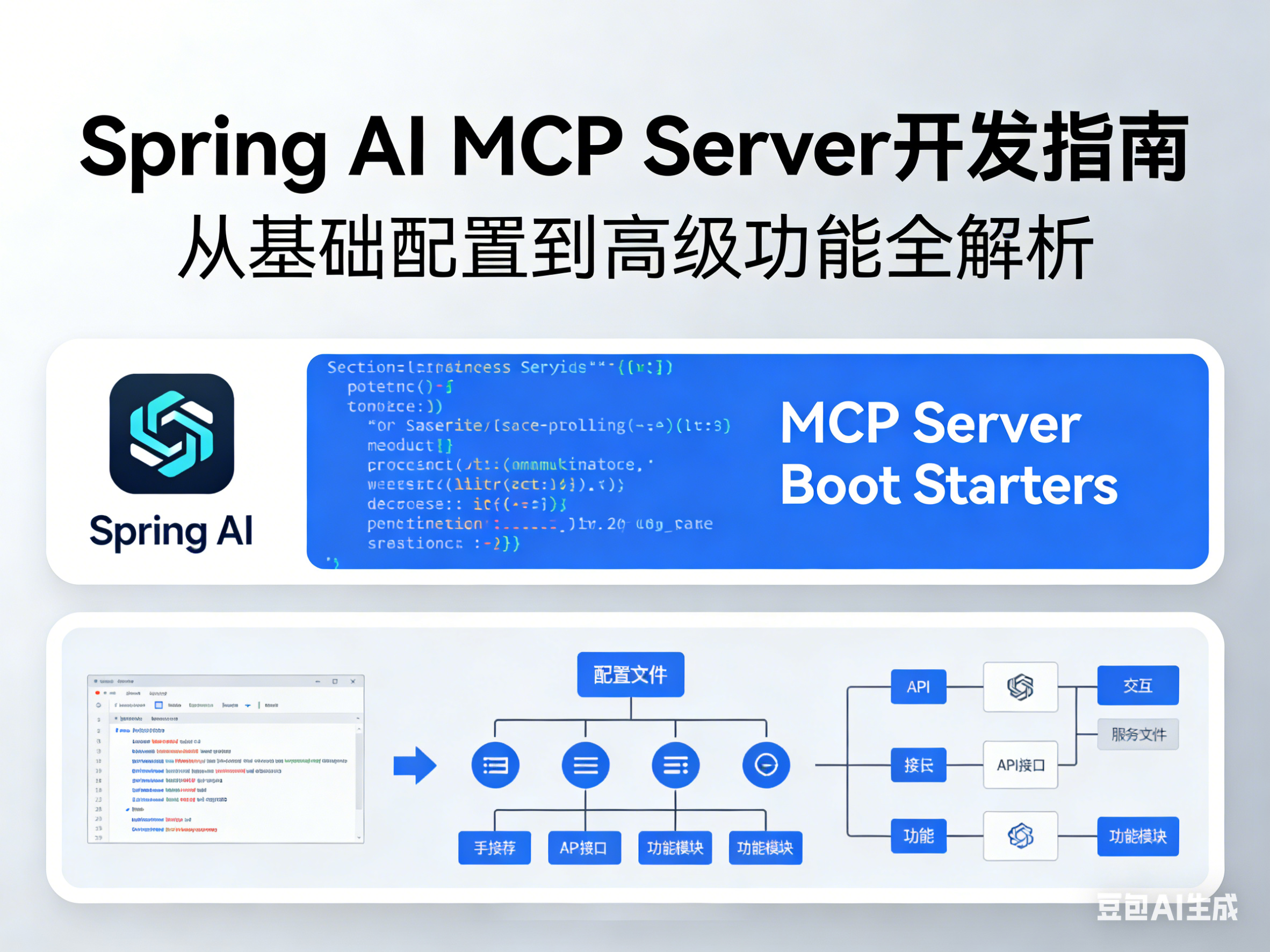
本文将详细介绍如何使用 Spring AI 提供的 MCP Server Boot Starters 开发 MCP 服务器。我们将覆盖从基础配置到高级功能的所有内容。
二、环境准备
2.1 项目依赖
创建一个 Spring Boot 项目,添加以下依赖:
<!-- pom.xml -->
<project>
    <parent>
        <groupId>org.springframework.boot</groupId>
        <artifactId>spring-boot-starter-parent</artifactId>
        <version>3.3.0</version>
    </parent>

    <dependencies>
        <!-- MCP Server - STDIO 模式 -->
        <dependency>
            <groupId>org.springframework.ai</groupId>
            <artifactId>spring-ai-starter-mcp-server</artifactId>
        </dependency>

        <!-- 或者 MCP Server - WebMVC 模式 (SSE/Streamable-HTTP) -->
        <!--
        <dependency>
            <groupId>org.springframework.ai</groupId>
            <artifactId>spring-ai-starter-mcp-server-webmvc</artifactId>
        </dependency>
        -->

        <!-- 或者 MCP Server - WebFlux 模式 -->
        <!--
        <dependency>
            <groupId>org.springframework.ai</groupId>
            <artifactId>spring-ai-starter-mcp-server-webflux</artifactId>
        </dependency>
        -->
    </dependencies>

    <repositories>
        <repository>
            <id>spring-milestones</id>
            <url>https://repo.spring.io/milestone</url>
        </repository>
    </repositories>
</project>
2.2 选择正确的 Starter
三、服务器配置
3.1 STDIO 服务器配置
# application.yml
spring:
  ai:
    mcp:
      server:
        name: my-mcp-server
        version: 1.0.0
        type: SYNC  # 或 ASYNC
        stdio: true  # 启用 STDIO 模式
        capabilities:
          tool: true
          resource: true
          prompt: true
          completion: true
          logging: true
3.2 SSE/WebMVC 服务器配置
# application.yml
spring:
  ai:
    mcp:
      server:
        name: my-web-mcp-server
        version: 1.0.0
        type: SYNC
        protocol: SSE  # 或 STREAMABLE、STATELESS
        capabilities:
          tool: true
          resource: true
          prompt: true
          completion: true
          logging: true
server:
  port: 8080
3.3 Streamable-HTTP 配置
# application.yml
spring:
  ai:
    mcp:
      server:
        name: streamable-mcp-server
        version: 1.0.0
        type: SYNC
        protocol: STREAMABLE
        capabilities:
          tool: true
          resource: true
          prompt: true
3.4 Stateless 无状态服务器配置
# application.yml
spring:
  ai:
    mcp:
      server:
        name: stateless-mcp-server
        version: 1.0.0
        type: SYNC
        protocol: STATELESS
        capabilities:
          tool: true
          resource: true
四、开发 MCP Tools(工具)
4.1 基础工具开发
使用 @McpTool 注解标记工具方法:
package com.example.mcp.tools;

import org.springframework.ai.tool.annotation.McpTool;
import org.springframework.ai.tool.annotation.McpToolParam;
import org.springframework.stereotype.Component;

@Component
public class CalculatorTools {

    @McpTool(name = "add", description = "将两个数字相加")
    public double add(
            @McpToolParam(description = "第一个数字", required = true) double a,
            @McpToolParam(description = "第二个数字", required = true) double b) {
        return a + b;
    }

    @McpTool(name = "subtract", description = "两个数字相减")
    public double subtract(
            @McpToolParam(description = "被减数", required = true) double a,
            @McpToolParam(description = "减数", required = true) double b) {
        return a - b;
    }

    @McpTool(name = "multiply", description = "两个数字相乘")
    public double multiply(
            @McpToolParam(description = "第一个数字", required = true) double a,
            @McpToolParam(description = "第二个数字", required = true) double b) {
        return a * b;
    }

    @McpTool(name = "divide", description = "两个数字相除")
    public double divide(
            @McpToolParam(description = "被除数", required = true) double dividend,
            @McpToolParam(description = "除数", required = true) double divisor) {
        if (divisor == 0) {
            throw new IllegalArgumentException("除数不能为零");
        }
        return dividend / divisor;
    }
}
4.2 带高级特性的工具
package com.example.mcp.tools;

import io.modelcontextprotocol.spec.McpSchema;
import io.modelcontextprotocol.spec.McpSchema.CallToolResult;
import org.springframework.ai.mcp.spec.McpTool.McpAnnotations;
import org.springframework.ai.tool.annotation.McpTool;
import org.springframework.ai.tool.annotation.McpToolParam;
import org.springframework.stereotype.Component;

@Component
public class AdvancedTools {

    // 带工具注解特性
    @McpTool(
        name = "calculate-area",
        description = "计算矩形面积",
        annotations = McpAnnotations.builder()
            .title("矩形面积计算器")
            .readOnlyHint(true)
            .destructiveHint(false)
            .idempotentHint(true)
            .build()
    )
    public AreaResult calculateRectangleArea(
            @McpToolParam(description = "宽度", required = true) double width,
            @McpToolParam(description = "高度", required = true) double height) {
        return new AreaResult(width * height, "平方单位");
    }

    public record AreaResult(double area, String unit) {}
}
4.3 带请求上下文的工具
package com.example.mcp.tools;

import io.modelcontextprotocol.spec.McpSyncRequestContext;
import org.springframework.ai.tool.annotation.McpTool;
import org.springframework.ai.tool.annotation.McpToolParam;
import org.springframework.stereotype.Component;

@Component
public class ContextAwareTools {

    @McpTool(name = "process-data", description = "处理数据并发送进度通知")
    public String processData(
            McpSyncRequestContext context,
            @McpToolParam(description = "要处理的数据", required = true) String data) {

        // 发送日志通知
        context.info("开始处理数据: " + data);

        // 发送进度通知
        context.progress(p -> p.progress(0.0).total(1.0).message("开始处理"));

        // 执行处理逻辑
        String result = performProcessing(data);

        context.progress(p -> p.progress(0.5).total(1.0).message("处理中..."));

        // 继续处理
        result = furtherProcessing(result);

        context.progress(p -> p.progress(1.0).total(1.0).message("处理完成"));

        // Ping 客户端
        context.ping();

        return "处理结果: " + result;
    }

    private String performProcessing(String data) {
        return data.toUpperCase();
    }

    private String furtherProcessing(String data) {
        return "【" + data + "】";
    }
}
4.4 动态 Schema 工具
package com.example.mcp.tools;

import io.modelcontextprotocol.spec.CallToolRequest;
import io.modelcontextprotocol.spec.CallToolResult;
import org.springframework.ai.tool.annotation.McpTool;
import org.springframework.stereotype.Component;

import java.util.Map;

@Component
public class DynamicSchemaTools {

    @McpTool(name = "flexible-tool", description = "处理动态参数的工具")
    public CallToolResult processDynamic(CallToolRequest request) {
        Map<String, Object> args = request.arguments();

        // 根据运行时参数处理
        StringBuilder result = new StringBuilder("处理了以下参数:\n");
        args.forEach((key, value) -> {
            result.append(String.format("  %s: %s\n", key, value));
        });

        return CallToolResult.builder()
            .addTextContent(result.toString())
            .build();
    }
}
4.5 异步工具(响应式)
package com.example.mcp.tools;

import io.modelcontextprotocol.spec.McpAsyncRequestContext;
import org.springframework.ai.tool.annotation.McpTool;
import org.springframework.ai.tool.annotation.McpToolParam;
import org.springframework.stereotype.Component;
import reactor.core.publisher.Flux;
import reactor.core.publisher.Mono;

import java.time.Duration;

@Component
public class AsyncTools {

    @McpTool(name = "fetch-data", description = "异步获取数据")
    public Mono<DataResult> fetchData(
            @McpToolParam(description = "数据源 URL", required = true) String url,
            @McpToolParam(description = "超时秒数", required = false) Integer timeout) {

        Duration timeoutDuration = Duration.ofSeconds(timeout != null ? timeout : 30);

        return Mono.fromCallable(() -> fetchDataFromUrl(url))
            .timeout(timeoutDuration)
            .map(data -> new DataResult(url, data));
    }

    @McpTool(name = "process-stream", description = "处理数据流")
    public Flux<String> processStream(
            McpAsyncRequestContext context,
            @McpToolParam(description = "项目数量", required = true) int count) {

        String progressToken = context.request().progressToken();

        return Flux.range(1, count)
            .delayElements(Duration.ofMillis(100))
            .flatMap(i -> {
                if (progressToken != null) {
                    double progress = (double) i / count;
                    return context.progress(p -> p.progress(progress).total(1.0).message("处理第 " + i + " 项"))
                        .thenReturn("已处理第 " + i + " 项");
                }
                return Mono.just("已处理第 " + i + " 项");
            });
    }

    private String fetchDataFromUrl(String url) {
        // 模拟从 URL 获取数据
        return "来自 " + url + " 的数据";
    }

    public record DataResult(String url, String data) {}
}
五、开发 MCP Resources(资源)
5.1 基础资源开发
package com.example.mcp.resources;

import io.modelcontextprotocol.spec.ReadResourceResult;
import io.modelcontextprotocol.spec.TextResourceContents;
import org.springframework.ai.mcp.annotation.McpResource;
import org.springframework.stereotype.Component;

import java.util.List;
import java.util.Map;
import java.util.concurrent.ConcurrentHashMap;

@Component
public class ConfigResources {

    private final Map<String, String> configData = new ConcurrentHashMap<>();

    public ConfigResources() {
        configData.put("database", "{\"host\":\"localhost\",\"port\":5432}");
        configData.put("cache", "{\"type\":\"redis\",\"ttl\":3600}");
        configData.put("logging", "{\"level\":\"INFO\",\"format\":\"json\"}");
    }

    @McpResource(
        uri = "config://{key}",
        name = "配置资源",
        description = "访问应用程序配置"
    )
    public String getConfig(String key) {
        return configData.getOrDefault(key, "配置项不存在");
    }
}
5.2 返回 ReadResourceResult
package com.example.mcp.resources;

import io.modelcontextprotocol.spec.ReadResourceResult;
import io.modelcontextprotocol.spec.TextResourceContents;
import org.springframework.ai.mcp.annotation.McpResource;
import org.springframework.stereotype.Component;

import java.util.List;

@Component
public class UserProfileResources {

    @McpResource(
        uri = "user-profile://{username}",
        name = "用户档案",
        description = "获取用户档案信息"
    )
    public ReadResourceResult getUserProfile(String username) {
        String profileData = loadUserProfile(username);

        return new ReadResourceResult(List.of(
            new TextResourceContents(
                "user-profile://" + username,
                "application/json",
                profileData
            )
        ));
    }

    private String loadUserProfile(String username) {
        // 模拟加载用户数据
        return String.format(
            "{\"username\":\"%s\",\"email\":\"%s@example.com\",\"created\":\"2024-01-01\"}",
            username, username
        );
    }
}
5.3 带请求上下文的资源
package com.example.mcp.resources;

import io.modelcontextprotocol.spec.McpSyncRequestContext;
import io.modelcontextprotocol.spec.ReadResourceResult;
import io.modelcontextprotocol.spec.TextResourceContents;
import org.springframework.ai.mcp.annotation.McpResource;
import org.springframework.stereotype.Component;

import java.util.List;

@Component
public class SecureResources {

    @McpResource(
        uri = "secure://{id}",
        name = "安全资源",
        description = "需要权限验证的资源"
    )
    public ReadResourceResult getSecureResource(
            McpSyncRequestContext context,
            String id) {

        // 记录访问日志
        context.info("访问安全资源: " + id);

        // 验证访问权限(示例)
        String accessLevel = (String) context.meta().get("accessLevel");
        if (!"admin".equals(accessLevel)) {
            return new ReadResourceResult(List.of(
                new TextResourceContents(
                    "secure://" + id,
                    "text/plain",
                    "访问被拒绝: 需要管理员权限"
                )
            ));
        }

        // 返回资源内容
        String data = loadSecureData(id);
        context.ping();

        return new ReadResourceResult(List.of(
            new TextResourceContents("secure://" + id, "application/json", data)
        ));
    }

    private String loadSecureData(String id) {
        return "{\"id\":\"" + id + "\",\"data\":\"敏感数据\"}";
    }
}
六、开发 MCP Prompts(提示模板)
6.1 基础提示模板
package com.example.mcp.prompts;

import io.modelcontextprotocol.spec.GetPromptResult;
import io.modelcontextprotocol.spec.McpArg;
import io.modelcontextprotocol.spec.McpPrompt;
import io.modelcontextprotocol.spec.PromptMessage;
import io.modelcontextprotocol.spec.Role;
import io.modelcontextprotocol.spec.TextContent;
import org.springframework.stereotype.Component;

import java.util.List;

@Component
public class GreetingPrompts {

    @McpPrompt(
        name = "greeting",
        description = "生成问候语提示"
    )
    public GetPromptResult greeting(
            @McpArg(name = "name", description = "用户名", required = true) String name) {

        String message = String.format(
            "你好,%s!今天有什么可以帮助你的?",
            name
        );

        return new GetPromptResult(
            "问候语",
            List.of(new PromptMessage(Role.ASSISTANT, new TextContent(message)))
        );
    }
}
6.2 带可选参数的提示模板
package com.example.mcp.prompts;

import io.modelcontextprotocol.spec.GetPromptResult;
import io.modelcontextprotocol.spec.McpArg;
import io.modelcontextprotocol.spec.McpPrompt;
import io.modelcontextprotocol.spec.PromptMessage;
import io.modelcontextprotocol.spec.Role;
import io.modelcontextprotocol.spec.TextContent;
import org.springframework.stereotype.Component;

import java.util.List;

@Component
public class PersonalizedPrompts {

    @McpPrompt(
        name = "personalized-message",
        description = "生成个性化消息"
    )
    public GetPromptResult personalizedMessage(
            @McpArg(name = "name", required = true) String name,
            @McpArg(name = "age", required = false) Integer age,
            @McpArg(name = "interests", required = false) String interests) {

        StringBuilder message = new StringBuilder();
        message.append("你好,").append(name).append("!\n\n");

        if (age != null) {
            message.append("在你 ").append(age).append(" 岁这个年纪,");
            if (age < 18) {
                message.append("正是学习的好时光。\n");
            } else if (age < 30) {
                message.append("可以探索更多可能性。\n");
            } else {
                message.append("积累了丰富的经验。\n");
            }
        }

        if (interests != null && !interests.isEmpty()) {
            message.append("\n我注意到你对 ").append(interests).append(" 感兴趣,");
            message.append("我可以在这方面提供帮助。\n");
        }

        return new GetPromptResult(
            "个性化消息",
            List.of(new PromptMessage(Role.ASSISTANT, new TextContent(message.toString())))
        );
    }
}
七、开发 MCP Completions(自动完成)
7.1 基础自动完成
package com.example.mcp.completions;

import io.modelcontextprotocol.spec.McpComplete;
import org.springframework.stereotype.Component;

import java.util.List;

@Component
public class CityCompletions {

    private static final List<String> CITIES = List.of(
        "北京", "上海", "广州", "深圳", "杭州",
        "南京", "成都", "武汉", "西安", "重庆"
    );

    @McpComplete(prompt = "city-search")
    public List<String> completeCityName(String prefix) {
        return CITIES.stream()
            .filter(city -> city.startsWith(prefix))
            .limit(10)
            .toList();
    }
}
7.2 带参数信息的自动完成
package com.example.mcp.completions;

import io.modelcontextprotocol.spec.CompleteRequest;
import io.modelcontextprotocol.spec.McpComplete;
import org.springframework.stereotype.Component;

import java.util.List;

@Component
public class TravelCompletions {

    @McpComplete(prompt = "travel-planner")
    public List<String> completeTravelDestination(CompleteRequest.CompleteArgument argument) {
        String prefix = argument.value().toLowerCase();
        String argumentName = argument.name();

        // 根据参数名返回不同的补全结果
        if ("city".equals(argumentName)) {
            return completeCities(prefix);
        } else if ("country".equals(argumentName)) {
            return completeCountries(prefix);
        }

        return List.of();
    }

    private List<String> completeCities(String prefix) {
        return List.of("北京", "上海", "广州", "深圳").stream()
            .filter(c -> c.toLowerCase().startsWith(prefix))
            .toList();
    }

    private List<String> completeCountries(String prefix) {
        return List.of("中国", "日本", "韩国", "美国", "英国").stream()
            .filter(c -> c.toLowerCase().startsWith(prefix))
            .toList();
    }
}
八、完整示例:天气服务 MCP Server
8.1 主应用类
package com.example.mcp;

import org.springframework.boot.SpringApplication;
import org.springframework.boot.autoconfigure.SpringBootApplication;

@SpringBootApplication
public class WeatherMcpServerApplication {
    public static void main(String[] args) {
        SpringApplication.run(WeatherMcpServerApplication.class, args);
    }
}
8.2 天气工具
package com.example.mcp.tools;

import com.example.mcp.service.WeatherService;
import io.modelcontextprotocol.spec.McpSyncRequestContext;
import org.springframework.ai.tool.annotation.McpTool;
import org.springframework.ai.tool.annotation.McpToolParam;
import org.springframework.stereotype.Component;

@Component
public class WeatherTools {

    private final WeatherService weatherService;

    public WeatherTools(WeatherService weatherService) {
        this.weatherService = weatherService;
    }

    @McpTool(name = "get-temperature", description = "获取指定位置的当前温度(摄氏度)")
    public String getTemperature(
            McpSyncRequestContext context,
            @McpToolParam(description = "纬度", required = true) double latitude,
            @McpToolParam(description = "经度", required = true) double longitude) {

        context.info("获取温度: lat=" + latitude + ", lon=" + longitude);

        double temperature = weatherService.getCurrentTemperature(latitude, longitude);

        return String.format("当前位置温度: %.1f°C", temperature);
    }

    @McpTool(name = "get-weather-alerts", description = "获取指定位置的天气预警")
    public String getWeatherAlerts(
            @McpToolParam(description = "纬度", required = true) double latitude,
            @McpToolParam(description = "经度", required = true) double longitude) {

        return weatherService.getWeatherAlerts(latitude, longitude);
    }
}
8.3 天气服务
package com.example.mcp.service;
import org.springframework.stereotype.Service;
import org.springframework.web.client.RestClient;
@Service
public class WeatherService {
private final RestClient restClient = RestClient.create();
public double getCurrentTemperature(double latitude, double longitude) {
String url = String.format(
"https://api.open-meteo.com/v1/forecast?latitude=%f&longitude=%f¤t=temperature_2m",
latitude, longitude
);
WeatherResponse response = restClient.get()
.uri(url)
.retrieve()
.body(WeatherResponse.class);
return response.current().temperature_2m();
}
public String getWeatherAlerts(double latitude, double longitude) {
// 实际实现中调用天气预警 API
return "当前无天气预警";
}
public record WeatherResponse(Current current) {}
public record Current(double temperature_2m) {}
}8.4 配置文件
# application.yml
spring:
  application:
    name: weather-mcp-server
  ai:
    mcp:
      server:
        name: weather-server
        version: 1.0.0
        type: SYNC
        protocol: SSE
        capabilities:
          tool: true
          resource: true
          prompt: true
          completion: true
          logging: true

server:
  port: 8080

logging:
  level:
    io.modelcontextprotocol: DEBUG
九、测试 MCP Server
9.1 使用 MCP Inspector 测试
MCP Inspector 是一个用于测试 MCP 服务器的官方工具:
# 安装 MCP Inspector
npm install -g @modelcontextprotocol/inspector

# 启动 Inspector 并连接到你的服务器
npx @modelcontextprotocol/inspector http://localhost:8080/sse
9.2 使用 curl 测试 SSE 端点
# 初始化连接
curl -X POST http://localhost:8080/sse \
  -H "Content-Type: application/json" \
  -d '{
    "jsonrpc": "2.0",
    "id": 1,
    "method": "initialize",
    "params": {
      "protocolVersion": "2024-11-05",
      "capabilities": {},
      "clientInfo": {
        "name": "test-client",
        "version": "1.0.0"
      }
    }
  }'

# 列出可用工具
curl -X POST http://localhost:8080/sse \
  -H "Content-Type: application/json" \
  -d '{
    "jsonrpc": "2.0",
    "id": 2,
    "method": "tools/list",
    "params": {}
  }'

# 调用工具
curl -X POST http://localhost:8080/sse \
  -H "Content-Type: application/json" \
  -d '{
    "jsonrpc": "2.0",
    "id": 3,
    "method": "tools/call",
    "params": {
      "name": "get-temperature",
      "arguments": {
        "latitude": 39.9042,
        "longitude": 116.4074
      }
    }
  }'
9.3 单元测试
package com.example.mcp.tools;

import org.junit.jupiter.api.Test;
import org.springframework.beans.factory.annotation.Autowired;
import org.springframework.boot.test.context.SpringBootTest;

import static org.junit.jupiter.api.Assertions.*;

@SpringBootTest
class CalculatorToolsTest {

    @Autowired
    private CalculatorTools calculatorTools;

    @Test
    void testAdd() {
        double result = calculatorTools.add(5.0, 3.0);
        assertEquals(8.0, result, 0.001);
    }

    @Test
    void testDivide() {
        double result = calculatorTools.divide(10.0, 2.0);
        assertEquals(5.0, result, 0.001);
    }

    @Test
    void testDivideByZero() {
        assertThrows(IllegalArgumentException.class, () -> {
            calculatorTools.divide(10.0, 0.0);
        });
    }
}
十、部署建议
10.1 STDIO 模式部署
STDIO 服务器通常作为客户端的子进程运行:
// Claude Desktop 配置示例
{
  "mcpServers": {
    "my-tool": {
      "command": "java",
      "args": ["-jar", "/path/to/my-mcp-server.jar"]
    }
  }
}
10.2 SSE/HTTP 模式部署
# application-prod.yml
spring:
  ai:
    mcp:
      server:
        name: production-mcp-server
        version: 1.0.0
        protocol: STREAMABLE

server:
  port: 8080

# 生产环境建议配置
management:
  endpoints:
    web:
      exposure:
        include: health,info,metrics
  endpoint:
    health:
      show-details: always
10.3 无状态模式部署(Kubernetes)
# kubernetes-deployment.yaml
apiVersion: apps/v1
kind: Deployment
metadata:
  name: mcp-server
spec:
  replicas: 3
  selector:
    matchLabels:
      app: mcp-server
  template:
    metadata:
      labels:
        app: mcp-server
    spec:
      containers:
      - name: mcp-server
        image: my-mcp-server:latest
        ports:
        - containerPort: 8080
        env:
        - name: SPRING_AI_MCP_SERVER_PROTOCOL
          value: "STATELESS"
        - name: SPRING_AI_MCP_SERVER_TYPE
          value: "SYNC"
---
apiVersion: v1
kind: Service
metadata:
  name: mcp-server
spec:
  selector:
    app: mcp-server
  ports:
  - port: 80
    targetPort: 8080
  type: LoadBalancer
十一、故障排查
11.1 常见问题
问题:工具未被发现
确保:
工具类添加了
@Component注解方法添加了
@McpTool注解包路径在组件扫描范围内
问题:异步方法被过滤掉
同步服务器(type=SYNC)会过滤掉返回 Mono/Flux 的方法。确保:
同步服务器使用同步方法
异步服务器(
type=ASYNC)使用响应式方法
问题:无状态模式不支持某些功能
无状态模式不支持双向操作(elicitation、sampling、roots)。对于需要这些功能的场景,使用有状态模式。
11.2 启用调试日志
logging:
  level:
    io.modelcontextprotocol: DEBUG
    org.springframework.ai.mcp: DEBUG
十二、总结
本文详细介绍了如何使用 Spring AI MCP Server Boot Starters 开发 MCP 服务器,包括:
环境配置:选择正确的 Starter 和传输协议
工具开发:使用
@McpTool注解开发各种类型的工具资源开发:使用
@McpResource暴露资源提示模板:使用
@McpPrompt创建可重用提示自动完成:使用
@McpComplete提供智能补全测试部署:完整的测试和部署指南
在下一篇文章中,我们将介绍如何开发 MCP Client 以及调试技巧。